 Haulwise
What your Temu hauls really cost.
Refunds, store credit, returns you can still send back and price drops Temu will refund — worked out on your phone, from your own Temu account, and kept there.
- No Haulwise account
- No server
- No analytics
- No ads
Coming to Google Play Android 7.0 and up · phones and tablets · free, with a one‑time Pro upgrade
Haulwise never sees your Temu password, and we never see anything at all.
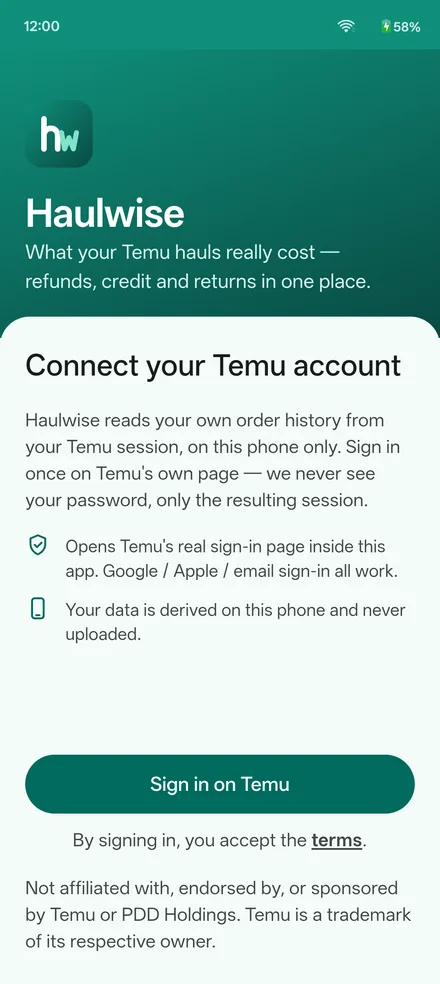
You sign in on Temu's own sign-in page, shown inside the app — the same page as on temu.com, with its Google, Apple and email options. You type your password into Temu's page, Temu opens a session for the app's built-in browser, and that session is all Haulwise ever holds.
With it, the app asks Temu for the pages Temu already shows you when you are signed in: your orders, their payment breakdown, your credit history. The numbers are worked out on the phone and stay in the app's private storage. There is no Haulwise server for them to go to — which is why the Google Play listing can truthfully say No data collected and No data shared.
And it never acts for you. A price-adjustment claim or a return is something you send yourself, on Temu's own page.
Where the app connects
Temu, for your own data and the item pictures. Your sign-in provider, only if you pick Google or Apple on Temu's page. Google Play, to install, update and buy Pro. Nothing else — the app contains no analytics, advertising or crash-reporting code at all.
A light touch on Temu
A sync reads only what changed since the last one — nine requests on the 75-order account we measured. Order details are spread out, a few seconds apart, never fired in a burst. If Temu shows its own security check, you solve it; Haulwise never tries to get around it.
What you see on your phone, and the sums behind it.
On the left, the app. On the right, the working, line by line, so you can check every figure yourself. Sample data — one order, three items. Step through it, or let it run.
Every rule behind the numbers
charged             what Temu took from your card at checkout
paid with credit    Temu store credit used at checkout — shown, kept apart
back to card        refunds Temu paid to your card
real spent          = charged − back to card           the money that left you

item share          = item's sale price ÷ the order's sale prices
item real cost      = (card + credit) × item share − that item's refund
cash only           = card × item share − that item's refund to your card
                      summed over everything you kept, this is real spent

saved at checkout   coupons + Temu promotions, from each order's payment page;
                      never Temu's crossed-out "was" price, which is an anchor
import charges      customs + VAT Temu added at checkout, already inside charged
price adjustment    Temu's own amount, read from Temu's own claim page,
                      orders from the last 30 days
return window       Temu's 90 days; a starred item is flagged in its last 5
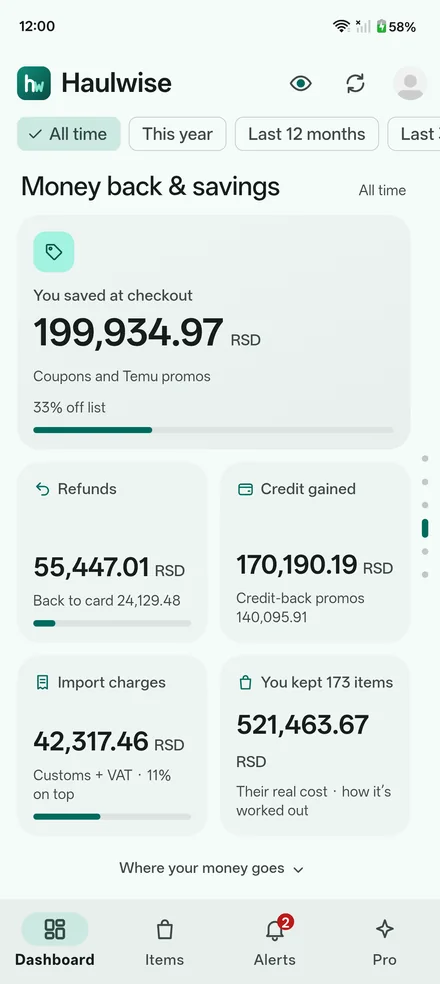
The numbers Temu spreads across a dozen screens, in one place.
Real spent, for any period
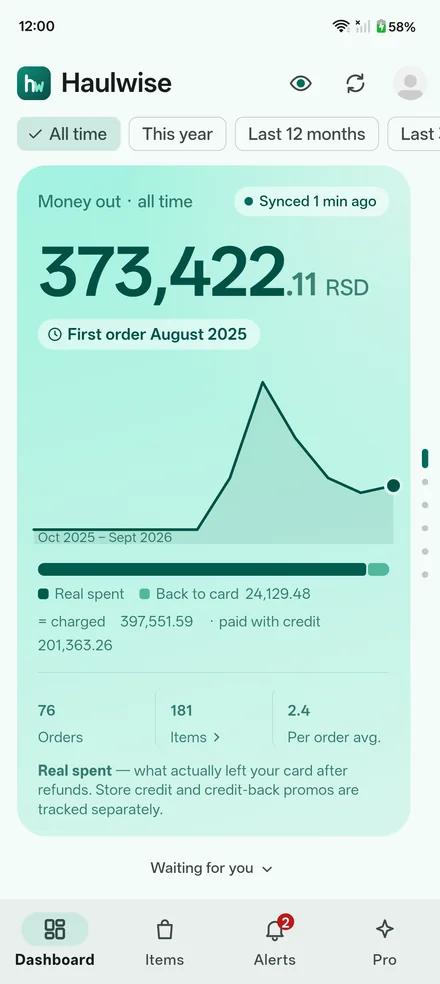
What actually left your card after refunds — all time, this year, the last 12 months, the last 30 days or one month, with a chart of your spending. Store credit and credit-back promos are kept apart instead of mixed in.
FreeReturns you can still send back
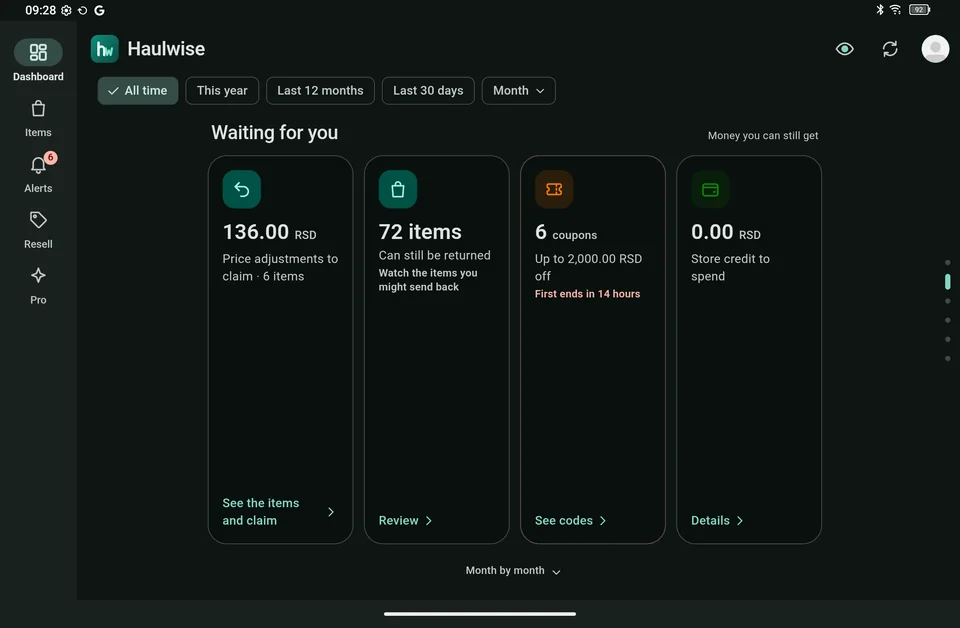
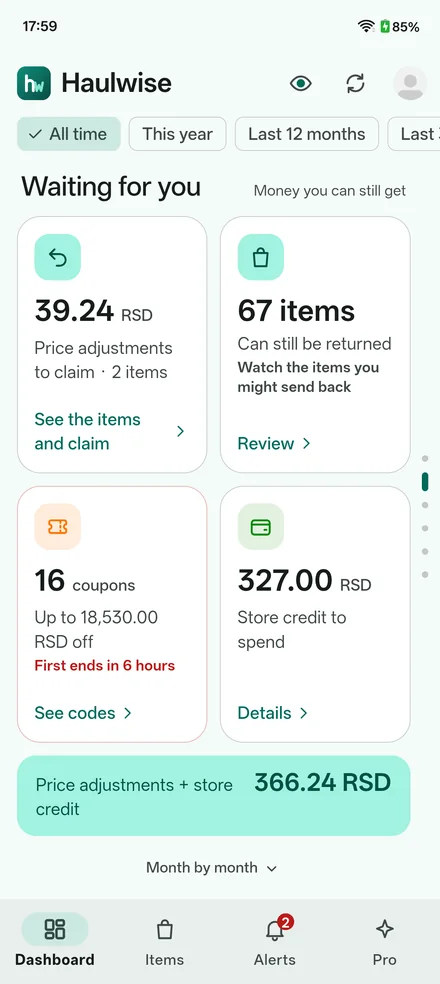
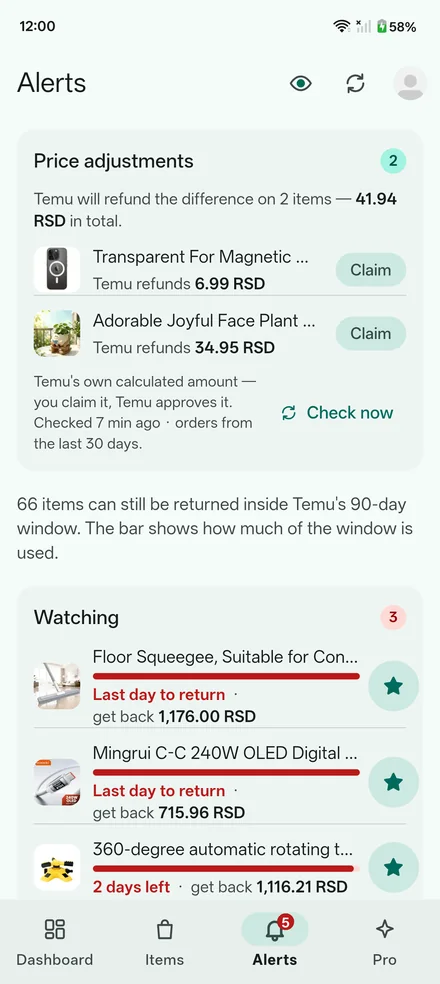
Every item still inside Temu's 90‑day window, with the days left. Star the ones you might send back and hide the ones you are keeping: only starred items raise closing soon, in their last five days.
FreePrice adjustments to claim
When Temu will refund a price difference on an order from the last 30 days, Haulwise reads Temu's own amount from Temu's own claim page — once a day, or when you tap Check now. Free shows how many items and the total; Pro shows which items, each amount, and Claim.
Free · in full with ProStore credit and coupons
Your Temu credit balance and its history, and the coupons you can still use, the soonest to end first, with their codes one tap away.
FreeDeliveries
What is arriving today and what is arriving soon, on the Alerts tab, read from the same orders.
FreeEverything you ordered
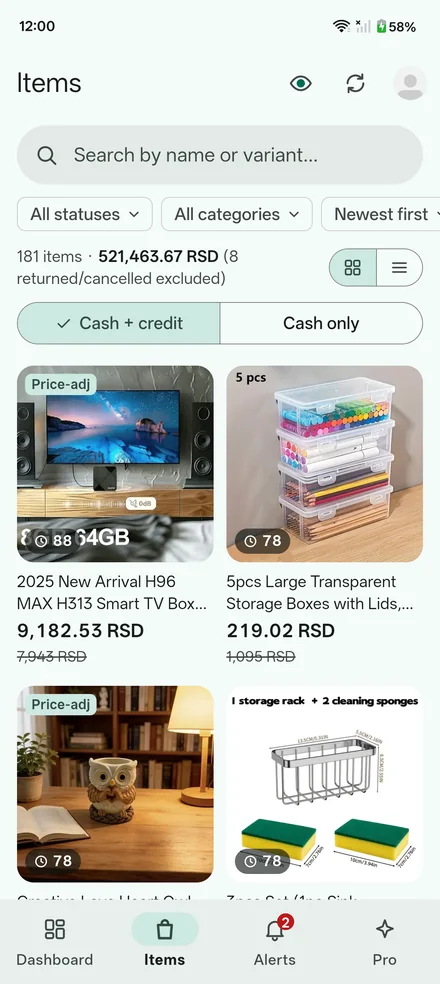
A list, or a grid with big pictures, searchable and filtered by status and category. One tap opens the product or the order in Temu.
FreeEach item's real cost
What every item really cost after coupons, credit and refunds, which ones you sent back, and the total of what you kept — counted as cash + credit, or cash only.
ProWhat you saved at checkout
Coupons and Temu promotions on every order, and the import charges added on top — never Temu's crossed-out “was” price, which is a marketing anchor, not a saving.
ProRefund amount on returns
How much you would get back for an item before you send it back, right on the returns list.
ProReseller mode
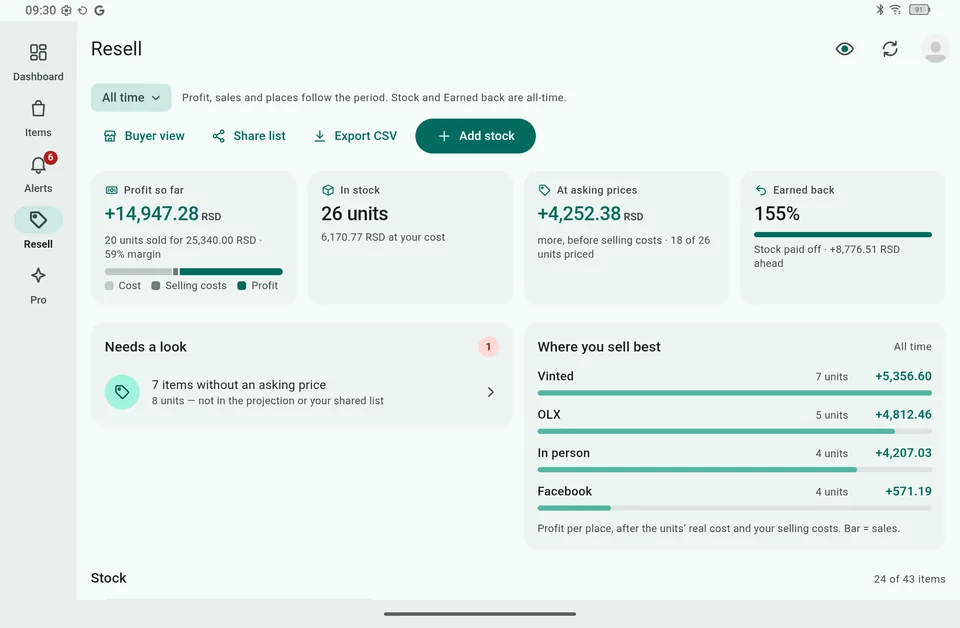
For what you sell on: stock at its real cost, asking prices, sales and profit for each place you sell, a list to share with buyers, and a CSV export.
ProHide amounts, private items
One tap masks every amount, for screenshots and people nearby. Private items hides sensitive things from every list, and only your PIN shows them again.
ProMore Temu accounts
Up to five accounts signed in at once, switched in one tap, each with its own numbers — and all of them added up.
ProA demo, before you sign in
See a demo on the first screen opens every screen — Pro included — on sample data, clearly marked, with no Temu account needed.
Phones, tablets, and dark
Phone and tablet layouts, in portrait and landscape. A dark theme with Pro — always on, or following your phone.
Eleven languages
English, German, French, Spanish, Italian, Polish, Dutch, Portuguese, Ukrainian, Russian and Serbian, picked from your phone's language.
Free is the honest headline. Pro is every order, line by line.
The line follows the data. Free reads your order list, credit history and account — enough for every total on the dashboard and every return you can still make. Pro also reads each order's own detail and payment pages, which is where per-item costs, discounts and import charges live.
| Free | Pro | |
|---|---|---|
| Real spent, charged, paid with credit, back to card | Yes | Yes |
| Any period, with a spending chart | Yes | Yes |
| Refunds and credit gained | Yes | Yes |
| Store credit, coupons, deliveries | Yes | Yes |
| Everything you ordered, open in Temu | Yes | Yes |
| Returns closing soon, with days left | Yes | Yes |
| Price adjustments | How many items, and the total | Each item, Temu's amount, and Claim |
| Refund amount on returns | — | Yes |
| Saved at checkout, import charges | Your last 3 orders, as a preview | Every order |
| Each item's real cost | Your last 3 orders, as a preview | Every item cash + credit, or cash only |
| Reseller mode | A preview | Yes |
| Hide amounts, private items | — | Yes |
| Temu accounts | One at a time | Up to 5, and all of them added up |
| Dark theme | — | Yes |
| Account with us, analytics, ads | None | None |
- Free never guesses. Where a figure would need an order's detail pages that Free does not read, Free shows a lock instead of an estimate — no even split of an order across its items, no partial totals passed off as whole ones.
- Pro is one payment, once, through Google Play. No subscription, nothing to renew. It comes back after a reinstall on the same Google account, and the phone remembers it between syncs.
- Try all of it first. The demo opens every Pro screen on sample data, so you see what you are buying before you buy it.
An Android phone and your Temu account. That is the whole list.
- Android 7.0 or newer, phone or tablet, with Google Play to install it and to buy Pro.
- Your Temu account — or none at all, to look around the demo first.
- A connection when you sync. The app reads from Temu, so syncing needs the internet. Between syncs, everything you have synced is on the phone.
- No sign-up with us. There is no Haulwise account to create, no email to give and nothing to forget.
- For more accounts: an up-to-date Android System WebView, which is what keeps each account's sign-in separate. On an older one, a second account sets the first one's data aside, as on Free.
What stays on your phone, and what does not
Your synced orders, credit history and the totals worked out from them sit in the app's private storage, readable by no other app. Signing out keeps them for when you come back, unless you ask for them to be deleted too; uninstalling deletes everything.
Your Temu data never goes into Android's backup or a transfer to a new phone — there you sign in again and sync. The one exception is reseller mode: your own entries, which Temu cannot give back.
What Haulwise cannot know, and what it will not do.
Some of these are Temu's, some are deliberate. All of them are better read here than discovered on the day you were counting on a refund.
- Temu is the source of truth. Every figure is worked out from what Temu shows you, and can differ from Temu's own by rounding, timing, changed data or how a promotion was split across items. Check in Temu's app before you request a refund or a return.
- Not every promotion is understood. Cashback and some region-specific offers may be missing from the totals. What the app cannot place is left out, not guessed at.
- Temu words things differently by country. Refunds are recognised by Temu's own codes first and their wording second, and the countries Haulwise has been checked against are still few. If a total looks wrong, Temu's app wins — and we would like to hear about it.
- When Temu changes its pages, part of a sync can stop working until an update. The dashboard then says what is missing, in plain words, rather than showing a quietly smaller number.
- It never acts on your account. Haulwise sends no claims, returns or anything else to Temu. Claim opens Temu's own page; you send it there, and Temu approves it.
- A long history fills in over a few syncs. To stay light on Temu, Pro adds the details of at most twenty orders per sync, so a big first sync says “the rest next sync” instead of loading pages for minutes.
- Temu may ask for a security check. It appears as Temu's own page during a sync. Solve it and the sync carries on; skip it and it waits for your next sync. The app never tries to avoid it.
- Your data lives on one phone. No cloud and no sync between your devices — the price of there being no server. A new phone is a fresh sign-in and sync.
- Android only. There is no iPhone version.
- Pro belongs to Google Play. It unlocks Haulwise on Android, for your Google account, and is not a licence for anything else.
Captured from the app, not drawn for the page.
Taken in the app's screenshot mode, which scales every amount — none of the totals below is anyone's real spending.
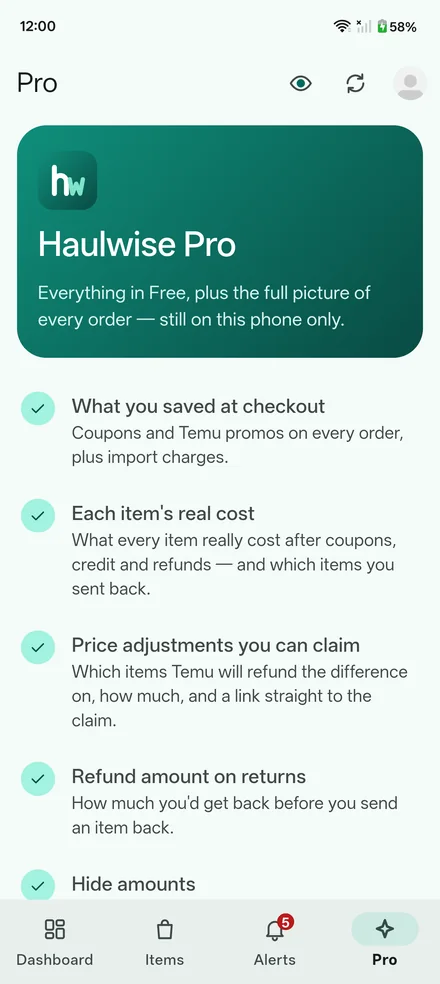
See them on sample data
Every one of these screens, Pro included, is in the app's demo — See a demo on the first screen, no Temu account needed.